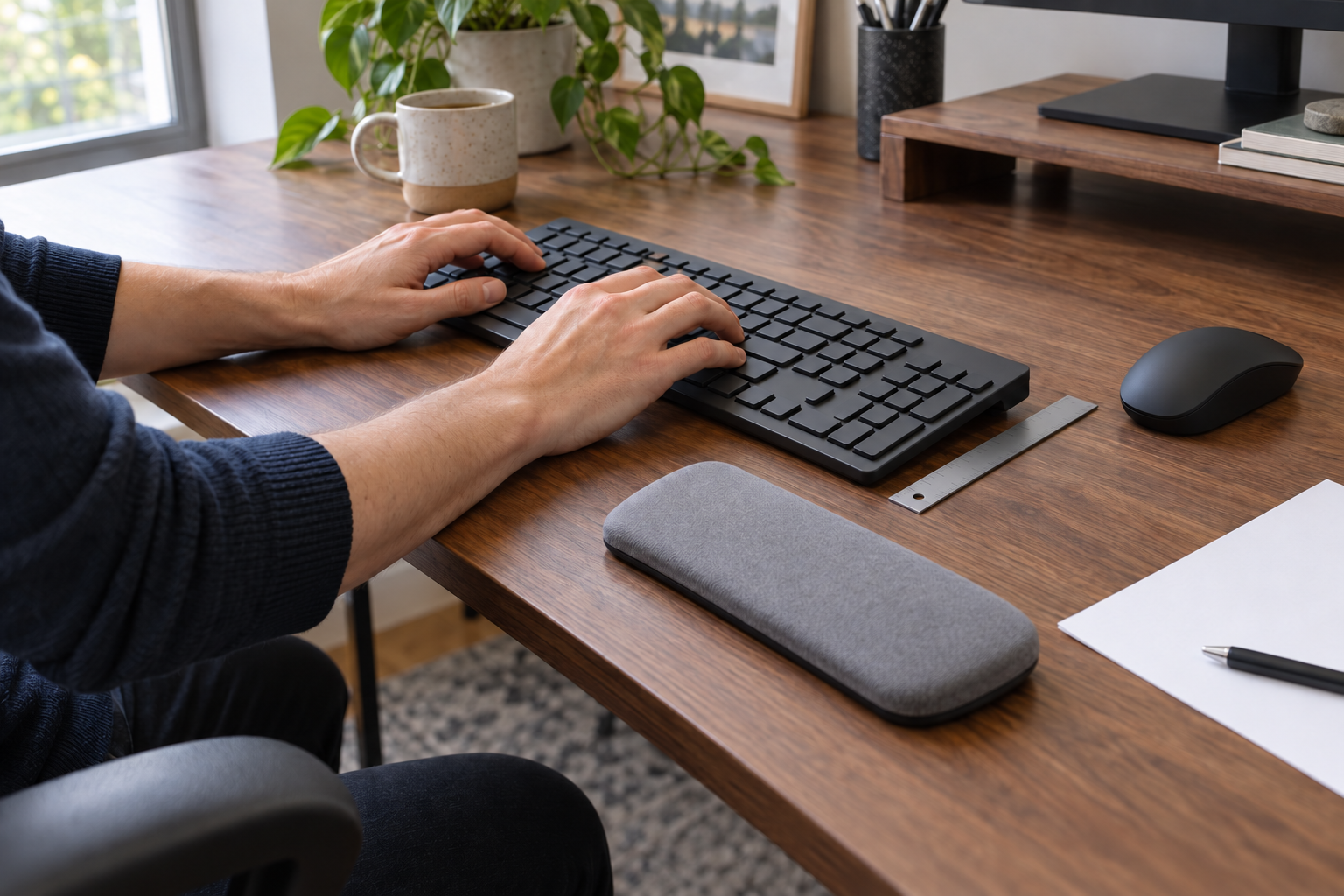
Before adding a pad, notice what touches the desk while you type and what touches it when you pause. The underside of the wrist, the heel of the palm, and the forearm are different contact points. Padding the wrong one can preserve the keyboard height or hard edge that caused the problem.
First test the keyboard’s height, distance, and slope. If that leaves your wrists reasonably in line with your forearms and removes pressure at the desk edge, the useful answer is no separate support. If you still want a place for your hands between typing bursts, measure for a palm support that meets the base of the palm without becoming a ledge under the wrist.
Find the contact point before adding padding
Type a short, ordinary passage, then stop with your hands relaxed. Observe the two moments separately:
- While typing: Are the hands moving freely, or are the wrists planted on the desk edge or a pad? Does the keyboard’s front edge make the hands bend upward?
- During a pause: Do the heels of the palms need a light landing place, or can the hands and forearms rest elsewhere without pressure?
- At the desk edge: Is the hard contact under the wrist, farther up the forearm, or absent once the keyboard moves closer?
Names on packaging do not settle this distinction. The Canadian Centre for Occupational Health and Safety describes a palm support by where contact occurs: at the base of the palms without pressure on the wrists. It also makes the value of that support conditional on the workstation, keyboard, task, typing skill, and preferred posture.
Hands moving
Do not use the pad as a pivot under the wrist while the fingers move.
Palms paused
A matched support can provide a landing place between bursts.
Wrist or forearm pressed
Change height, distance, or the larger support surface before adding thickness.
A high front edge cannot be fixed by a softer label
OSHA’s keyboard guidance treats keyboard height, distance, tilt, pointer position, and wrist/palm support as one arrangement. It recommends a position that lets the shoulders relax, keeps the elbows near the body, and keeps the wrists straight and in line with the forearms. Use that as a setup test, not as a single prescribed angle.
Try the free changes in this order:
- Put the keyboard directly in front of the typing position and bring it close enough that the elbows can stay near the body.
- Compare the keyboard with its rear feet lowered and raised. Keep the position that reduces upward wrist bending; OSHA specifically cautions against using the feet when they increase that bend.
- Adjust chair or work-surface height so the keys meet the forearms without raised shoulders or wrists bent up or down. Keep the feet and back supported rather than solving the keyboard by creating another unsupported position.
- Keep the pointer beside the keyboard on the same usable surface. A change that fixes the keys but sends the mouse out of reach has not fixed the input setup.
- Type and pause again. If the wrist angle and hard-edge contact have gone, stop there and keep the no-support arrangement.
This sequence separates a missing rest from a misplaced keyboard. A support added in front of a keyboard that is already too high usually adds another raised surface; it does not lower the keys.
Support the palm during pauses, not the wrist in motion
When a support still has a job, place it for the pause. CCOHS summarizes the operating boundary clearly: hands should move freely above the pad while typing, and the pad should meet the heel or palm—not the wrist—while resting. The same guidance says to match the support to the keyboard’s width, height, and front-edge slope and favors a relatively soft, rounded contact surface.
That boundary matters more than whether a listing calls the object a “wrist rest” or “palm rest.” A product with the first name can still be positioned under the palm; one with the second can still be too tall, too narrow, or pushed under the wrist.
A controlled study helps explain why shape cannot be treated as decoration. In a standardized five-minute typing task, 54 healthy young adults used no support and two different commercial wrist supports. Both support conditions reduced measured wrist extension and pressure relative to no support, while the two support shapes produced different wrist angles (Short et al., 2022). That is evidence that support geometry can change short-task measurements. It does not establish long-term comfort, injury prevention, treatment, or the best support for a particular workstation—and it tested wrist-support conditions, not the pause-only palm contact described here.
Match width, height, slope, and mouse space together
Measure the keyboard and work area before opening a product page. The useful dimensions belong to the complete setup, not to the pad alone.
| Record this | How to check it | What rules a support out |
|---|---|---|
| Keyboard outside width | Measure the front edge of the exact keyboard, including its case. | A support that leaves a frequent palm over an edge or extends into needed pointer space. |
| Front-edge height | Measure from the work surface to the keyboard where the support would meet it. | A support that raises the palm above the keys or leaves a sharp step up to the keyboard. |
| Front-edge slope | View the keyboard and candidate from the side at the actual typing height. | A pad whose top angle tips the hand up or creates a ridge at the transition. |
| Available depth | Measure from the keyboard front edge toward the desk edge in the working setup. | A support that hangs over the desk, pushes the keyboard away, or reaches under the wrist instead of the palm. |
| Contact shape and firmness | Press where the heel of the palm would land and inspect every leading edge. | A hard or sharp edge, a surface that collapses into a ridge, or contact that concentrates under the wrist. |
| Keyboard-plus-pointer layout | Place the keyboard, support, and pointer together inside the usable surface. | A pad wide or deep enough to push the pointer away or block normal movement. |
CCOHS gives 3.8 cm (1.5 inches) as a minimum support depth. Treat that as a screening floor, not a universal fit verdict: the chosen depth still has to meet the palm in your setup without pushing the keyboard farther away or shifting contact to the wrist. Material names such as gel, foam, or wood do not answer any of these fit questions by themselves.
If a wide keyboard already pushes the pointer outward, solve that layout before buying a keyboard-plus-mouse pad. The keyboard size guide can help test whether key inventory or board width is the live constraint; the mouse form-factor guide handles pointer movement and hand-fit decisions separately.
Move the input surface when the whole surface is wrong
A palm support is too small a solution when the keyboard and pointer are both too high, too far away, or split across different levels. It also cannot remove a desk edge pressing farther up the forearm. Those observations point back to the chair, work surface, keyboard platform, or the amount of clear space around the input devices.
OSHA identifies an adjustable keyboard tray as one possible route when the chair or work surface cannot place the keyboard appropriately. The tray still needs enough room for the keyboard and pointer and enough clearance for legs and feet. Use the keyboard tray buying guide to measure mounting depth, required drop, platform width, and knee clearance before treating a tray as the automatic answer.
The final choice should now be narrow:
- Choose no separate support when height, distance, slope, and desk-edge clearance solve the observed contact or angle.
- Try a keyboard-matched palm support when a light landing place is still useful between typing bursts and the measured width, height, slope, depth, and pointer space all fit.
- Change the larger input surface when the keyboard and pointer cannot reach workable positions together or the hard contact occurs beyond the palm-support zone.
Repeat the same short typing-and-pause check after every change. Keep the option that removes the identified setup problem without creating a new reach or pressure point. Persistent pain, numbness, or weakness is outside what this accessory test can explain; do not treat a pad choice as a diagnosis or treatment.