A standing desk needs two different kinds of space: width for equipment beside you and depth between you and the screen. A wider desk can give a notebook a place to stay open without changing a monitor that still feels too close.
A 48-inch top can suit a compact layout. Moving to 60 inches adds a foot of side-to-side space; 72 inches gives equipment and other work more room to spread out. Then comes the measurement that is easy to miss while shopping: how low the desk goes when you sit down.
Use those three dimensions together when comparing the current US configurations and dated prices below.
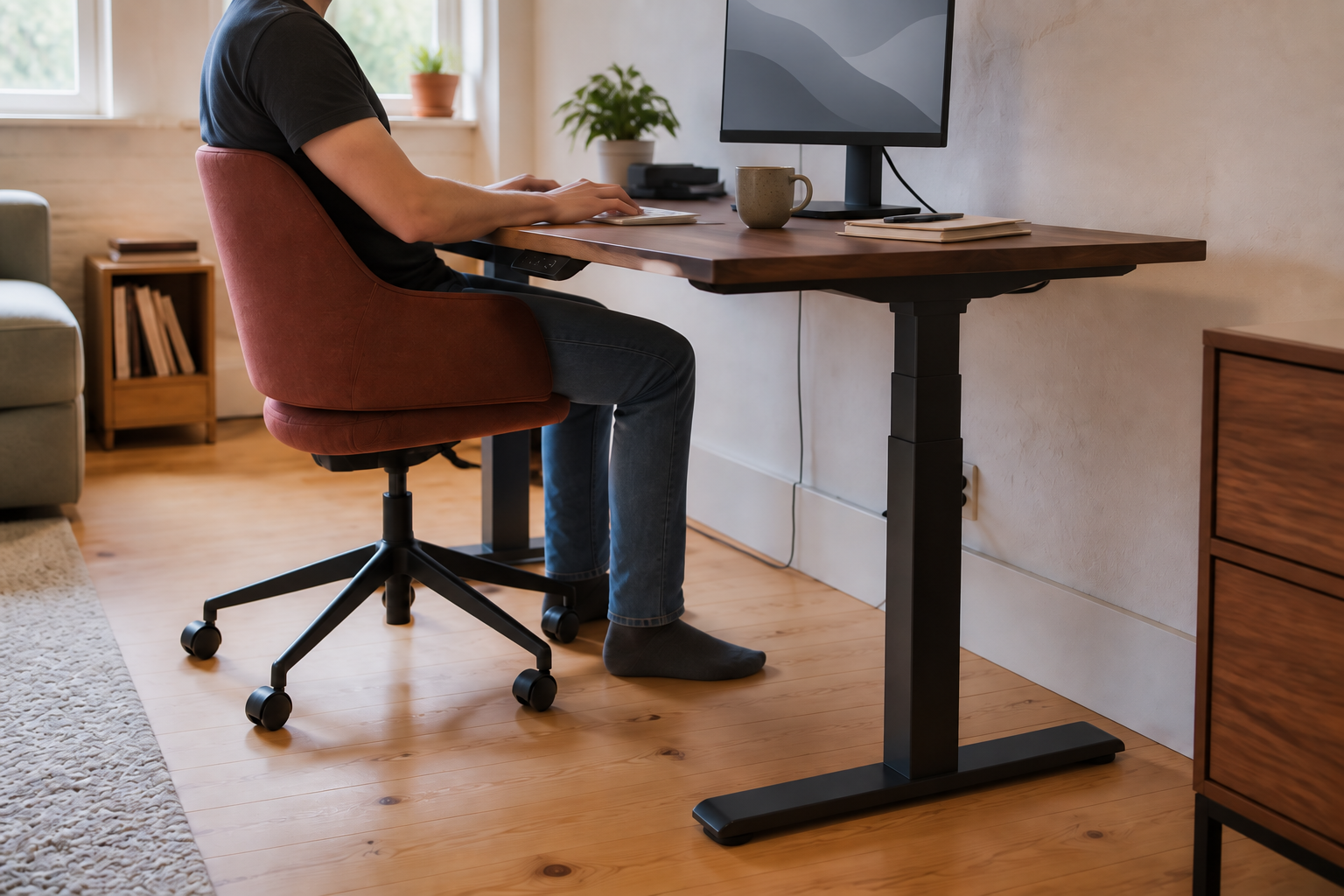
48, 60 or 72 inches: how much width will you use?
Think about what you want to leave on the desk while you work. A screen, keyboard and mouse make a different layout from screens plus a laptop, open paperwork or an audio interface.
These are starting points for arranging that equipment, rather than a promise that a particular monitor count will fit. The widths and 24-/30-inch depths are among the options in the current UPLIFT V3 configurator.
| Width | What the extra room buys | Depth to consider |
|---|---|---|
| 48 in / 4 ft | A compact input-and-screen area when you want to keep more of the room clear | 24 in for a shallow footprint; 30 in if the monitor stand needs more front-to-back room |
| 60 in / 5 ft | Another 12 inches for a laptop, notebook or equipment beside the main work area | 24 in preserves a shallow layout; 30 in adds screen-placement flexibility |
| 72 in / 6 ft | Another 12 inches beyond a 60-inch top for a wider equipment spread or a separate writing area | Choose depth for the screen and work in front of it, independently of width |
For two monitors, use the width of the actual screens in their intended positions. Diagonal screen size is a poor shortcut here. If your arranged screens span 44 inches, for example, a 48-inch top leaves only four inches of width beyond that span; a 60-inch top leaves 16. That is the difference between squeezing a notebook into the keyboard area and keeping it beside you.
Moving from 48 × 24 to 60 × 30 adds about 56% more top area, calculated from 1,152 and 1,800 square inches. It is a substantial change, even though each individual dimension sounds only a little bigger.
When is a 30-inch-deep desk worth the space?
Depth earns its place when the screen stand, keyboard and something you write or work on all compete for front-to-back room. A 30-inch top gives six more inches to separate those zones than a 24-inch top.
The relevant distance is from your eyes to the screen. OSHA’s monitor guidance gives a preferred viewing range of roughly 20–40 inches, with readable text and a comfortable viewing position. Your chair position, the stand and the screen’s location all contribute; a 24-inch desktop does not automatically mean a 24-inch viewing distance.
If the screen is already comfortable and the missing space is beside it, a wider 24-inch-deep top may be the better use of the room. If the stand pushes the keyboard toward the front edge, investigate depth—or a compatible monitor arm. Our 24- versus 30-inch desk-depth guide works through that choice in more detail.
How low should a standing desk go?
Use your seated keyboard position as the lower target, then check your standing position as well. OSHA’s workstation purchasing guide places the keyboard around elbow height. With your feet supported and shoulders relaxed, note the height of the surface beneath the keyboard; allow for the keyboard’s own thickness when judging hand position.
That number can change the shortlist completely. If a comfortable desktop position for you is 25 inches, a desk that stops at 29.4 inches remains too high even at its lowest setting. A wider top or stronger motor would leave that mismatch untouched.
Compare finished surface height, including the top. For example, UPLIFT’s V3 C-frame specifications (PDF) give a 21.6–47.7-inch frame range. Adding the selected one-inch desktop gives 22.6–48.7 inches. Casters or foot spacers raise the result again.
A keyboard tray changes this relationship by lowering the input surface below the top. If that is already part of your setup, compare its usable position and knee clearance using the keyboard-tray guide.
Standing desks compared by size, height and price
The configurations below cover a compact lower-price desk, a compact option that reaches lower, a configurable low-start desk and a larger complete package. This is a dimensions-and-specifications comparison; we have not tested their wobble, noise or long-term reliability.
Prices were checked on the manufacturers’ US stores on September 16, 2026, in USD, for the named configurations before tax, optional accessories and services. They are dated references, not live quotes; confirm the delivered total before ordering.
| Desk and configuration | Top | Finished height | Price reference |
|---|---|---|---|
| Autonomous Desk Core Meteor Gray | 48 × 24 | 29.4–47.5 Maker's with-top range | $349 |
| FlexiSpot E7 Mint Green 48 × 24 laminate, 1-inch top | 48 × 24 | 23.8–49.4 Calculated with selected top* | $409.98 |
| UPLIFT V3 Walnut laminate, black C-frame, basic keypad | 48 × 24 | 22.6–48.7 With selected 1-inch top | $659 For this 48-inch configuration |
| Vari Electric Standing Desk 60 × 30, Black/Slate | 60 × 30 | 25–50.5 Maker's complete-desk range | $829 regular $663.20 advertised offer through Sep 30, 2026** |
Sources: Core’s specifications and selected price, the E7 Mint configurator, the UPLIFT V3 configurator and the Vari 60 × 30 page.
*E7’s linked E7-V3-US frame manual (PDF) lists 22.8–48.4 inches. The table adds the selected laminate top’s one inch. That finished range is a calculation, not our measurement. All rows exclude added casters; UPLIFT also excludes foot spacers.
**Vari advertised 20% off qualifying in-stock electric desks through September 30, 2026, US Central time, applied in the cart. After that date, use the labeled regular price as the reference until checking a fresh offer. The other rows are displayed selected-configuration prices without a coupon. Different tops, finishes or promotions can change the comparison.
A 48-inch desk: spend less, or sit lower?
Autonomous Core is the lower-priced compact choice among these checked configurations. Its 48 × 24-inch top and 29.4-inch finished minimum make it worth considering when that footprint and seated height already suit you. The small top saves space; the high minimum is the deciding trade-off.
Autonomous US storeDesk Core — 48 × 24A compact top for a setup that fits its 29.4-inch minimum surface height.See Core configurations →For a lower seated position, FlexiSpot’s E7 Mint Green with the 48 × 24 laminate top is the more promising compact starting point. At the checked prices, $60.98 above Core buys a much lower frame range while keeping the same top footprint. The calculated with-top minimum is 23.8 inches; compare your required position with that range before choosing. E7 configuration and top specifications
On FlexiSpot’s page, choose the laminate top to reproduce this comparison: its lower frame-only price leaves out the work surface. The mint finish is also a real choice, especially if the desk lives in a shared room.
FlexiSpot US storeE7 Mint Green — 48 × 24 laminateA compact configuration with a lower frame range. Select Laminate rather than Frame Only.See the E7 Mint configuration →If Autonomous is still on your shortlist but you want a different top or frame package, the Autonomous desk comparison explains those upgrades. For the small-desk decision here, Core and E7 make the price-versus-seated-height trade-off particularly clear.
Need a lower desk or a different top size?
UPLIFT V3 reaches a 22.6-inch surface height with the selected one-inch top. That gives it a useful role if even E7’s calculated 23.8-inch minimum is above your target. Its configurator also separates width and depth: you can choose a 60- or 72-inch top while retaining a 24-inch depth, or move to 30 inches for more front-to-back space.
The $659 row is specifically the 48 × 24 walnut laminate top, black C-frame with 24-inch feet, and basic angled keypad. A larger top or upgraded controls changes the price. This is the option to explore when an exact footprint or lower height is worth more to you than a preselected package.
UPLIFT US storeV3 — choose width and depth separatelyA low-start frame with configurable tops; the comparison price uses 48 × 24 walnut laminate.Configure an UPLIFT V3 →A 60 × 30-inch desk gives the screen more room
Vari’s Electric Standing Desk 60 × 30 is the larger package in this comparison: a full foot wider and six inches deeper than the selected Core and E7 tops. Its 25–50.5-inch complete-desk range suits a different seated-height target from the lower-start configurations above.
This is an appealing shape when you want both equipment beside the main screen and room in front of it. If your shortage is only side-to-side, a configurable 60 × 24 top would give the same width while leaving six more inches of the room free.
Vari US storeElectric Standing Desk — 60 × 30A wider, deeper complete desk with a 25-inch minimum. Select the regular Electric Standing Desk model compared here.See the Vari 60 × 30 →Choose width for the equipment beside you, depth for the space in front of you, and a height range that includes your seated position. Those checks show whether a larger or more expensive desk solves an actual constraint.